Themes
So here's my little foray into WordPress themes. From here you can download any themes I've produced, or read a guide to creating your own.
Guides to creating your own themes
If you want to try customizing your own theme, then have a look at my WordPress Theme Dissection - a set of guides dissecting a WordPress theme and hopefully demonstrating how to begin customizing your own.
You may also find it useful to read another guide I wrote on installing WordPress on a local computer. It makes the whole theme customization process a lot faster and easier, and protects you from accidentally messing-up your live website.
Themes for download
Currently standing at a grand total of two themes:
![]() |
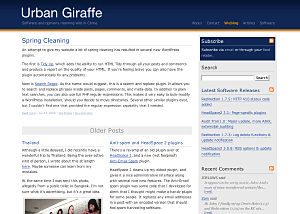
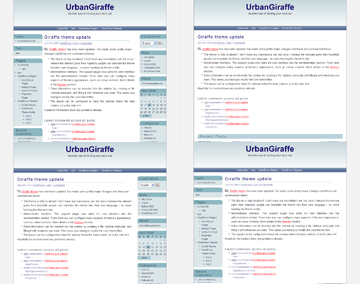
Giraffe2 - WordPress 2.0 only version of the Giraffe theme. Has everything that Giraffe 1.23 contains, with the addition of configurable columns, WordPress Widget support, live preview options, customizable colour schemes, and a logo manager. Latest edition is 2.6.1, last updated August 13, 2007 |
![]() |
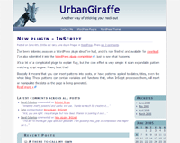
Giraffe - Fully customizable and localized fluid or fixed width theme. Posts are split into lead, recent, and older posts. Has a working print CSS, along with pre-defined colour schemes, and is configured via an administration interface. Latest version 1.23, last updated November 25, 2005 |
Support & Bugs
Support for themes is provided through the support forums. Registration is required but brings with it several advantages (namely plugin newsletters and personal bug tracking). Questions asked anywhere else on this site may not be answered and may even be deleted.
All bug reports should be submitted into the issue tracker. You do not need to register to submit bug reports but if you do then you'll be able to receive email notifications once they have been fixed.


Comments (page 9 of 16)
Mar 29, 2006 12:30 am
Do other themes display the correct number of posts?
Mar 21, 2006 10:13 pm
I have a major problem. If possible, I would really appreciate your help. I love the theme but have several related problems. I cannot get more than one post to show on the main page. Also, both recent posts and older posts just one the most recent post, and only that one, nothing else. I have my wp options (options / reading) set to 10 and 10, and have giraffe leads set to 10. Any ideas?
Mar 21, 2006 12:39 pm
i love the theme, especially how clean and uncluttered it looks. i wanted to put another vote in for a three column version. i miss having the space. but thanks so much for a beautiful theme.
Mar 16, 2006 5:10 am
Thanx for the great template!
Tami
Mar 7, 2006 4:24 pm
I am confused! What is this all about? Ahh! : 0
Mar 1, 2006 2:53 am
To remove the left blue bar in the footer you can edit the style.css file as follows. First located the #footer section, and then delete the 'background' line. Your style will look something like this:
#footer
{
width: 85%;
margin: 0 auto;
clear: both;
text-align: left;
line-height: 1.5em;
padding: 20px 0;
}
A custom logo is achieved very simply by just replacing the logo.gif/logo.png files with your own!
Feb 28, 2006 7:49 am
Hey John, I absolutely love your theme and am looking to modify it slighty and use it on my site. I've got a couple of quick questions you may be able to help with... Is there any way of making the blue line that runs on the left beside all the content end where it changes color at "home" - so it doesn't look like it falling off the page? I'm also interested in any info you may have on using a custom logo, I've looked around a bit and haven't found anything... I see heres a function for it in "giraffe_functions.php" but I don't know what I can do there to make a custom logo appear?
Thanks!
Feb 28, 2006 7:06 am
It's me again.
It is ok, it was my fault. The theme is beautiful!!
Thanks
Caroline
Feb 26, 2006 12:01 pm
Hello,
I love your theme John but I have a little problem when I try to use the pluggins. In wordpress the next message appear:
Fatal error: Call to undefined function: giraffe_options() in /var/www/free.fr/4/0/caroline.chopinaud/wordpress/wp-content/plugins/giraffe/giraffe.php on line 22
Can you help me ?
Thanks for the theme and thanks for your help in advance!
Caroline. French user!
Feb 11, 2006 12:10 pm
I am about to start using Shiny Stat (Free version) unless someone wants to recommend something else. If someone does recommend something else could you also tell me where to put it? Usually I have been putting the rpovided code somewhere at the bottom of the main index.php but this theme's code looks a little different than others I've used (keep in mind I know nothing of anything to do with any sort of coding beyond my first and second year courses in Java I barely passed).
Leave a comment