Themes
So here's my little foray into WordPress themes. From here you can download any themes I've produced, or read a guide to creating your own.
Guides to creating your own themes
If you want to try customizing your own theme, then have a look at my WordPress Theme Dissection - a set of guides dissecting a WordPress theme and hopefully demonstrating how to begin customizing your own.
You may also find it useful to read another guide I wrote on installing WordPress on a local computer. It makes the whole theme customization process a lot faster and easier, and protects you from accidentally messing-up your live website.
Themes for download
Currently standing at a grand total of two themes:
![]() |
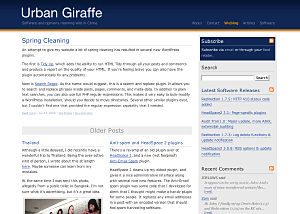
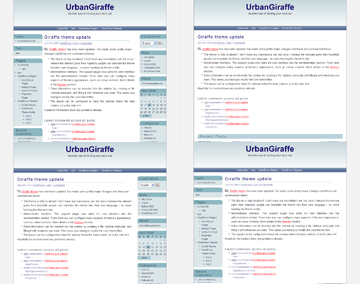
Giraffe2 - WordPress 2.0 only version of the Giraffe theme. Has everything that Giraffe 1.23 contains, with the addition of configurable columns, WordPress Widget support, live preview options, customizable colour schemes, and a logo manager. Latest edition is 2.6.1, last updated August 13, 2007 |
![]() |
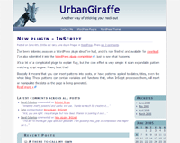
Giraffe - Fully customizable and localized fluid or fixed width theme. Posts are split into lead, recent, and older posts. Has a working print CSS, along with pre-defined colour schemes, and is configured via an administration interface. Latest version 1.23, last updated November 25, 2005 |
Support & Bugs
Support for themes is provided through the support forums. Registration is required but brings with it several advantages (namely plugin newsletters and personal bug tracking). Questions asked anywhere else on this site may not be answered and may even be deleted.
All bug reports should be submitted into the issue tracker. You do not need to register to submit bug reports but if you do then you'll be able to receive email notifications once they have been fixed.


Comments (page 5 of 16)
Dec 15, 2005 12:29 am
Hey..John. Thnaks for the theme.
But I still confuse, how I can change:
".....© Your name here" with my name..?
Dec 10, 2005 1:36 am
The number of posts displayed at the bottom is determined by the WordPress configuration setting in 'Options/Read' - Number of posts to display. The number you specify here will determine how many posts are displayed on the whole page, so the number of older posts will be total - lead - recent.
The colour scheme can be set using the Giraffe theme plugin and selecting your scheme from the drop-down box.
Dec 9, 2005 10:02 am
Is there anyway I can extend the older posts list that appears on the bootom of my blog using this theme to include more than what it currently shows? Although I just started posting to this blog this morning, it doesn't show the first several while looking at the site although they are in the WP history.
OT: How can I change the Giraffe color that I am currently using to one of the others that comes with the download? TIA.
Dec 1, 2005 2:49 am
What a great theme! I love it and thanks author sharing it.
Nov 27, 2005 4:25 pm
It depends where the customizations have been made. I've tried to seperate the core theme so that customizations can be made without future changes affecting them, but most of the time it's not possible.
If you want to experiment you can download a backup copy of your existing theme. You'll then be fairly safe trying the new one as you can always re-install your older version should it go wrong.
If you wanted to take it a step further you could create a local copy of your website on your own computer, and then you can play around to your hearts content without worrying about destroying your live site. It's a lot more work in the short term, but might be worth it.
If you think other people could be interested in the same changes then suggest them here and I'll probably include them as a configuration option in a future release!
Nov 26, 2005 7:08 am
You know, this is one of those "yes, I am a wizard" questions... But, and at any rate.... I am running a older version of this most wonderful theme.
Of course, I want to update, to take advantage of the newest fixes.
But, I am scared.
I really do not know enough about WordPress / changing themes to know if when I update to a newer version of UrbanGiraffe... if I lose my customizations?
What are some caveats? Little bits of advice... My "customizations" are very shallow... extrinisic in nature.
*walks away dejected*
Nov 25, 2005 10:04 pm
Okay, I will look forward to it! Have a great day!
Nov 23, 2005 3:13 pm
At the moment, no. I've played around with a configuration option to enable a third column, but just haven't had time to finish it. One day soon, maybe!
Nov 22, 2005 8:28 pm
I love this theme! I was wondering if it is offered in a three column form!!
Nov 14, 2005 1:02 am
Thanks Andrea! It's a popular question, and I recently added a section on the Giraffe theme page describing how to change the navigation bar links.
Leave a comment