Themes

Jun 26, 2005 | Tags: , | Written by Administrator

So here's my little foray into WordPress themes. From here you can download any themes I've produced, or read a guide to creating your own.

Guides to creating your own themes

If you want to try customizing your own theme, then have a look at my WordPress Theme Dissection - a set of guides dissecting a WordPress theme and hopefully demonstrating how to begin customizing your own.

You may also find it useful to read another guide I wrote on installing WordPress on a local computer. It makes the whole theme customization process a lot faster and easier, and protects you from accidentally messing-up your live website.

Themes for download

Currently standing at a grand total of two themes:

Theme image

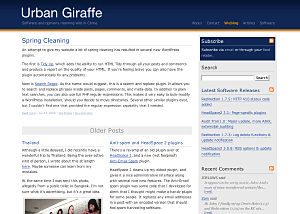
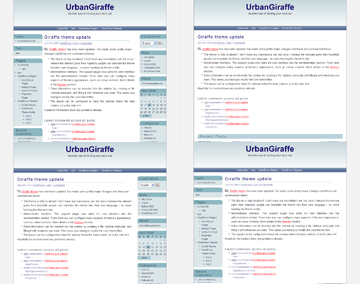
Giraffe2 - WordPress 2.0 only version of the Giraffe theme. Has everything that Giraffe 1.23 contains, with the addition of configurable columns, WordPress Widget support, live preview options, customizable colour schemes, and a logo manager.

Latest edition is 2.6.1, last updated August 13, 2007

Theme image

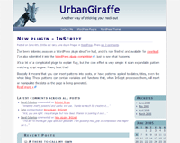
Giraffe - Fully customizable and localized fluid or fixed width theme. Posts are split into lead, recent, and older posts. Has a working print CSS, along with pre-defined colour schemes, and is configured via an administration interface.

Latest version 1.23, last updated November 25, 2005

Support & Bugs

Support for themes is provided through the support forums. Registration is required but brings with it several advantages (namely plugin newsletters and personal bug tracking). Questions asked anywhere else on this site may not be answered and may even be deleted.

All bug reports should be submitted into the issue tracker. You do not need to register to submit bug reports but if you do then you'll be able to receive email notifications once they have been fixed.

Share This

Comments (page 4 of 16)

  1. author
    Andrea :

    Nov 13, 2005 10:41 pm

    This is the most well presented theme that I have seen to this date. I hope that you win an award for it somehow.

    I don't mean to sound "thick" but can someone tell me how to add/change the links on the top navigation bar? I've been looking through the .php files but can't seem to find the lines for where I can edit the navigation bar links.

    Thanks in advance...

  2. Gerard :

    Nov 12, 2005 7:47 am

    Clean, nice design and very functional! I love it, thanks for the work and keep it up.

  3. John (author) :

    Nov 12, 2005 5:08 am

    Thanks Eric, well spotted. I've fixed this, and a few other small problems, in version 1.22

  4. Eric :

    Nov 10, 2005 5:27 pm

    I downloaded the theme and plugin today and am using them exclusively on my site. I have to say nice job, it's nice to look at and easy to use.

    I was looking at the error log on my website, though, and I saw hundredss of repetitions of

    [Thu Nov 10 19:02:36 2005] [error] PHP Warning: Invalid argument supplied for foreach() in .../wp-content/themes/giraffe/giraffe.php on line 87

    Ihow it is affecting it really, but I figured I'd point it out to you.

  5. Mr. Middle America :

    Oct 29, 2005 4:21 pm

    Ahhhhhhh... Loving the theme!

    Crisp...flows well. Easy to read. No clutter. Nice muted colors!

    Many Thanks!

    kbb

  6. John (author) :

    Oct 28, 2005 1:26 pm

    That's fine with me - let me know how it goes. I've an update coming out soon, hopefully without stupid spelling mistakes, so that will be the best one to include!

  7. Kai-Martin :

    Oct 27, 2005 4:11 pm

    The README of the debian-distribution says, "If there is demand for a certain theme it may be included in this package." May I demand to the debian maintainer to include giraffe?

    ------

    PS: A little typo in sidebar.php: Infomation ---> Information

  8. John (author) :

    Oct 27, 2005 12:07 am

    No, only the top level pages are displayed. This is actually determined by the theme, but all themes I've tried display a static list of pages.

    The easiest option is to include the links on the page itself. For example, the Themes page on this website has several sub-pages, which I've included in the page itself.

  9. Kosh2 :

    Oct 26, 2005 2:52 pm

    Question relating to pages. I have created a sub page (from health). How do I get to see the link within the health page. I had the impression that Wordpress automatically added sub page links to the navigation bar of the parent page.

  10. John (author) :

    Oct 16, 2005 5:47 am

    Thanks Erik, that's great. I've added the locale to the theme page so other's can download it

Leave a comment


XHTML: You can use these tags: <a href="" title=""> <abbr title=""> <acronym title=""> <b> <blockquote cite=""> <cite> <code> <del datetime=""> <em> <i> <q cite=""> <strike> <strong>

Home | Software | Terms & Conditions | Sitemap | John Godley © 2008
Close
E-mail It