Themes
So here's my little foray into WordPress themes. From here you can download any themes I've produced, or read a guide to creating your own.
Guides to creating your own themes
If you want to try customizing your own theme, then have a look at my WordPress Theme Dissection - a set of guides dissecting a WordPress theme and hopefully demonstrating how to begin customizing your own.
You may also find it useful to read another guide I wrote on installing WordPress on a local computer. It makes the whole theme customization process a lot faster and easier, and protects you from accidentally messing-up your live website.
Themes for download
Currently standing at a grand total of two themes:
![]() |
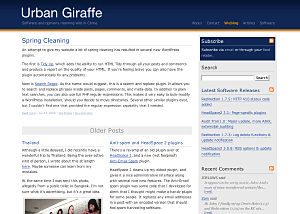
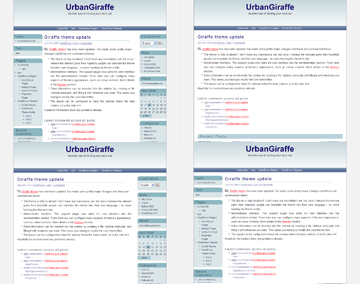
Giraffe2 - WordPress 2.0 only version of the Giraffe theme. Has everything that Giraffe 1.23 contains, with the addition of configurable columns, WordPress Widget support, live preview options, customizable colour schemes, and a logo manager. Latest edition is 2.6.1, last updated August 13, 2007 |
![]() |
Giraffe - Fully customizable and localized fluid or fixed width theme. Posts are split into lead, recent, and older posts. Has a working print CSS, along with pre-defined colour schemes, and is configured via an administration interface. Latest version 1.23, last updated November 25, 2005 |
Support & Bugs
Support for themes is provided through the support forums. Registration is required but brings with it several advantages (namely plugin newsletters and personal bug tracking). Questions asked anywhere else on this site may not be answered and may even be deleted.
All bug reports should be submitted into the issue tracker. You do not need to register to submit bug reports but if you do then you'll be able to receive email notifications once they have been fixed.


Comments (page 3 of 16)
Oct 15, 2005 10:30 am
i just like to say thank you for this really great piece of work! taking a look into the code makes it easier to understand how the localize-function ought to be used. (tho it needs a bit more staring on my side till i understand it completely... ; ) really great to have this as a reference. with just the article from boren.nu (linked above) i'd be lost... again: great work, keep it up!
ok, now here's a german translation to give something back to you: de_DE.mo German / Deutsch
the Plugin-page is untouched
(Wer die Formulierungen für zu formell hält muss nur die ebenfalls im zip enthaltene po-Datei anpassen und neu speichern)
Oct 3, 2005 10:57 am
Hi Danu, I'm not sure what you mean about the loss of fluid width - it works fine here! The colour of the theme can be changed by installing the Giraffe plugin and using the administration page. You shouldn't need to change anything in giraffe.php at all
Sep 27, 2005 6:24 pm
2 REALLY dumb ?s
the "fluid" width is lost when viewing posts and
how do I change the color of the theme...I changed it in giraffe.php, but stayed blue
Sep 10, 2005 3:11 pm
Bump last comment. I feel like a moron. Operator error.
Sep 10, 2005 3:00 pm
Hello, I am getting an error when try to load the plugin:
Fatal error: Call to undefined function: load_theme_textdomain() in /home/admin/public_html/wp-content/plugins/giraffe/giraffe.php on line 11
What do I need to do to correct this?
Sep 6, 2005 12:30 pm
That's just how the plugin works - the changes need to update the files you mentioned. If you want to make additional changes then perform all configurations from the plugin first, and then make your changes at the end (maybe even disabling the plugin to prevent you accidently overwriting your changes).
Sep 6, 2005 9:08 am
Hi, John
I think Giraffe theme is a very original theme for Wordpress. I like it very much.
I have downloaded the Giraffe theme and plugin. Then, I've tried to personalize the front end of your theme, making changes to the style and translating it into Baskish. Everything seems to be OK.
But there're problems using the plugin. If a make a change through the plugin (insert the logo, change the fonts, change the layout...) all changes made in style.css, single.php and index.php disappear and everything returns to the standard configuration. Am I doing something wrong?. Can I use the Giraffe plugin avoiding those annoying changes?
Thank you
Sep 2, 2005 11:23 am
Hi, John.
Thank you for your awesome wp-theme 'Giraffe'.
'Giraffe' is just fit in with Korean character "Hangeul".
Thank you again.
- Jeon from South Korea.
Aug 19, 2005 5:51 pm
actually nevermind my last post i just thought of a simple work around. This is a great theme by the way. but i found that i dont have a left margin in explorer, but its fine in firefox.
Aug 19, 2005 2:39 am
how do i remove the top menu links that appear at the top of the page from the sidebar while keeping the blogroll?
Leave a comment