Themes
So here's my little foray into WordPress themes. From here you can download any themes I've produced, or read a guide to creating your own.
Guides to creating your own themes
If you want to try customizing your own theme, then have a look at my WordPress Theme Dissection - a set of guides dissecting a WordPress theme and hopefully demonstrating how to begin customizing your own.
You may also find it useful to read another guide I wrote on installing WordPress on a local computer. It makes the whole theme customization process a lot faster and easier, and protects you from accidentally messing-up your live website.
Themes for download
Currently standing at a grand total of two themes:
![]() |
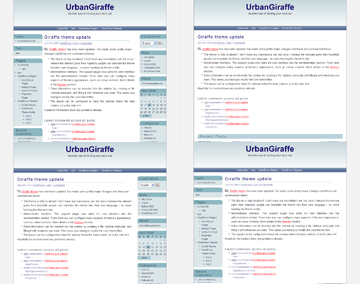
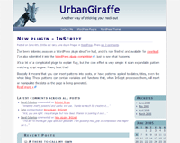
Giraffe2 - WordPress 2.0 only version of the Giraffe theme. Has everything that Giraffe 1.23 contains, with the addition of configurable columns, WordPress Widget support, live preview options, customizable colour schemes, and a logo manager. Latest edition is 2.6.1, last updated August 13, 2007 |
![]() |
Giraffe - Fully customizable and localized fluid or fixed width theme. Posts are split into lead, recent, and older posts. Has a working print CSS, along with pre-defined colour schemes, and is configured via an administration interface. Latest version 1.23, last updated November 25, 2005 |
Support & Bugs
Support for themes is provided through the support forums. Registration is required but brings with it several advantages (namely plugin newsletters and personal bug tracking). Questions asked anywhere else on this site may not be answered and may even be deleted.
All bug reports should be submitted into the issue tracker. You do not need to register to submit bug reports but if you do then you'll be able to receive email notifications once they have been fixed.


Comments (page 13 of 16)
Feb 9, 2007 7:18 am
I recently moved my blog to a new domain and everything went smoothly but now I am unable to upload a background image. I have set permissions and no error shows. My Background folder has files in it but they are not detected in the Logo admin section. Any thoughts?
Thanks,
Beth Ellen Nagle
Feb 7, 2007 5:58 pm
I have been using the blog for about 4 months and really like it. I decided to use my own header and wanted to know how to make the header clickable without enabling the title.
Any help would be appreciated!
Feb 4, 2007 11:17 am
Just wanted to let you know we use your beautiful theme on our daughter's website! http://www.friendsofava.com
Your hard work on this theme is appreciated!
Jan 11, 2007 7:23 am
I sorted out how to fix that red link color for anyone who wants to change it. It's not in the style.css at all, but rather in a file called skin.css in the /skin/... directory of whichever skin you are using. Just do a search through it for the word "red" and change it to whatever you like.
Great theme btw
datter
http://www.datter.com
Jan 11, 2007 4:26 am
Thanks so much for all you hard work. I was wondering if you could post on how to make a 3 column layout? What do I have to insert to have another column?
Jan 5, 2007 9:03 pm
What a Great Theme...
Dec 3, 2006 11:16 am
I love your theme! I am currently using the giraffe Wonky Edition and have enjoyed it quite a bit. I wanted to see if its possible to change the color of the title for the posts? I am trying to make it easier to distinquish between each post.
Nov 24, 2006 12:38 am
Hi, (think my previous inquiry was lost), have several quick questions..
1. just changed to your giraffe 2 theme, thanks. Is it supposed to be missing a "Home" page (I am supposed to make one from write/page template, then).
2. I cannot locate anywhere (even in wp-admin/admin.css) where it allows for change of color of text title in header.
3. Also, I changed to your theme for the calendar ajax, attributes. But after easy widget addition (I could not get the ajax cal. to work with my previous Fallseason template by Node thirty-three which is a very simple template), it does not work for previous/next buttons, and even though the #showit and other dropdown commands are in the files, these do not appear to allow for posting on the calendar (events), and only shows the dates for the immediate month, and All posts, not just events. Can this be controlled. I have not proven any proficiency with my many attempts to alter .php and so do not want to try to do so ....and the instructions (i.e. for changing parameters for MySQL with calendar), from others' posting comments, demonstated my continued lack of proficiency. but I will try any suggestion, am always backing up! thanks, again (I did post earlier complimenting this site).
Nov 18, 2006 1:48 am
Pheeeeeew,
I agree, you should have an award for the work that must have gone into this theme. I have just fininished uploading ALL the files...:D
Later I will see what it looks like.
Many thanks I hope it all works for me, and its finally the final choice after dl so many themes.
Have fun everyone.
K
Nov 7, 2006 5:12 am
Please email me when you can. I had to go to another theme. No One can leave comments on yours and also it messes up the PodPress menu...
Jim
Leave a comment