Themes
So here's my little foray into WordPress themes. From here you can download any themes I've produced, or read a guide to creating your own.
Guides to creating your own themes
If you want to try customizing your own theme, then have a look at my WordPress Theme Dissection - a set of guides dissecting a WordPress theme and hopefully demonstrating how to begin customizing your own.
You may also find it useful to read another guide I wrote on installing WordPress on a local computer. It makes the whole theme customization process a lot faster and easier, and protects you from accidentally messing-up your live website.
Themes for download
Currently standing at a grand total of two themes:
![]() |
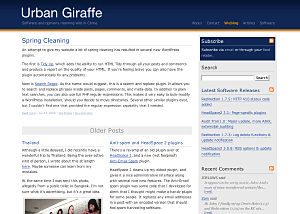
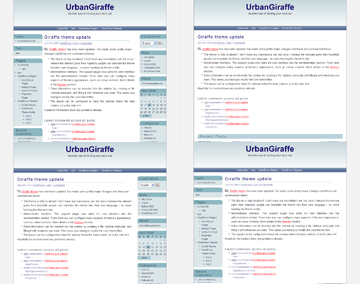
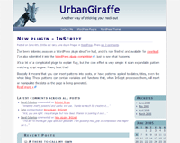
Giraffe2 - WordPress 2.0 only version of the Giraffe theme. Has everything that Giraffe 1.23 contains, with the addition of configurable columns, WordPress Widget support, live preview options, customizable colour schemes, and a logo manager. Latest edition is 2.6.1, last updated August 13, 2007 |
![]() |
Giraffe - Fully customizable and localized fluid or fixed width theme. Posts are split into lead, recent, and older posts. Has a working print CSS, along with pre-defined colour schemes, and is configured via an administration interface. Latest version 1.23, last updated November 25, 2005 |
Support & Bugs
Support for themes is provided through the support forums. Registration is required but brings with it several advantages (namely plugin newsletters and personal bug tracking). Questions asked anywhere else on this site may not be answered and may even be deleted.
All bug reports should be submitted into the issue tracker. You do not need to register to submit bug reports but if you do then you'll be able to receive email notifications once they have been fixed.


Comments (page 11 of 16)
May 30, 2006 1:10 pm
I just installed giraffe2 and am trying to enable 3 columns by changing the presentation/layout. When I try to update options it says "can't find the server at itsthesystem.comwp-admin." (the path should be itsthesystem.com/wordpress/wp-admin) Wordpress itself has the right path - the update options works for options/general). What do I need to change to correct the path?
May 29, 2006 1:00 am
David: Thanks. Fixed that one in wonky 3
OneShot: You can the_excerpt in archive.php
May 28, 2006 3:56 pm
Took a long time to find you but exactly what I was looking for! Thanks!!
I am having one problem... I want my archives to show my post with all links and images. I read that this was the fix?
"The category and archive views (both controlled by "archive.php" template of your theme) use the_excerpt that strips off all tags (images, links....). If you want to show text formatting and images on archives/category pages you have to replace the_excerpt with the_content. Look in Archive template"
But I can't find the_excerpt anywhere??
May 24, 2006 8:21 am
Hey, see an adorable impala on my blog (replaces the giraffe)
http://simos.info/blog/
May 24, 2006 7:46 am
Excelent ... works great!
I did notice one thing, however, and I don't know if it's the theme or core wordpress.
If the permissions on the theme directory were not correct (not writeable), the URL I go to after clicking the Update Options button is http://blog.example.comwp-admin/themes.php?page=admin.php&error
Notice the missing slash between '.com' and 'wp-admin'?
May 23, 2006 11:37 pm
Simos, Alexa, & Guillermo: All fixed in 'wonky 2' edition!
May 22, 2006 4:20 am
Hi,
Great theme.
I need your help, please. Can you modify for me the file single.php from Giraffe2 for a single page layout with sidebars at the top, justified text (not wide) the same as in the index.php? My PHP are like my english, you know.
Thank you so much.
May 21, 2006 9:38 am
Like Lisa, I’d also like to create a new page and have it appear just like my main page… ie: with no ‘lead story’ and all text alignded alongside my right side column.
At the moment, the new page treats added text like it is a ‘lead story’ that spreads across the page.
Is there a way to modify this?
May 18, 2006 5:44 am
When your browser does not send REFERERs and you click to submit changes anywhere in the WordPress administration screen, you get the error:
Fatal error: Undefined class name 'g2' in /public_html/blog/wp-content/themes/giraffe2/header.php on line 214
May 10, 2006 6:08 am
Wayne & Lisa: I'll include this as an option in the next release.
Nicholas: Thanks, I'll have a look see what's causing the weird behaviour!
Leave a comment