Themes
So here's my little foray into WordPress themes. From here you can download any themes I've produced, or read a guide to creating your own.
Guides to creating your own themes
If you want to try customizing your own theme, then have a look at my WordPress Theme Dissection - a set of guides dissecting a WordPress theme and hopefully demonstrating how to begin customizing your own.
You may also find it useful to read another guide I wrote on installing WordPress on a local computer. It makes the whole theme customization process a lot faster and easier, and protects you from accidentally messing-up your live website.
Themes for download
Currently standing at a grand total of two themes:
![]() |
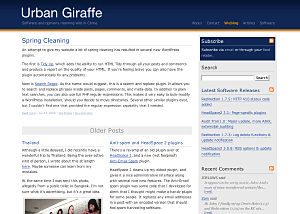
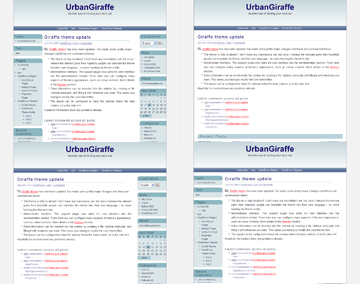
Giraffe2 - WordPress 2.0 only version of the Giraffe theme. Has everything that Giraffe 1.23 contains, with the addition of configurable columns, WordPress Widget support, live preview options, customizable colour schemes, and a logo manager. Latest edition is 2.6.1, last updated August 13, 2007 |
![]() |
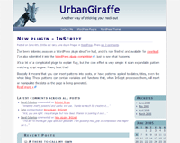
Giraffe - Fully customizable and localized fluid or fixed width theme. Posts are split into lead, recent, and older posts. Has a working print CSS, along with pre-defined colour schemes, and is configured via an administration interface. Latest version 1.23, last updated November 25, 2005 |
Support & Bugs
Support for themes is provided through the support forums. Registration is required but brings with it several advantages (namely plugin newsletters and personal bug tracking). Questions asked anywhere else on this site may not be answered and may even be deleted.
All bug reports should be submitted into the issue tracker. You do not need to register to submit bug reports but if you do then you'll be able to receive email notifications once they have been fixed.


Comments (page 10 of 16)
May 7, 2006 2:18 pm
I too love this theme and want to thank you for sharing it.
I've not had any problems customizing it for my use but I do have a weird problem.
The site is not up yet but I will be running it with the Podpress and WPG2 plugins.
with the giraffe2 theme installed, if you go to Podpress or WPG2 within the the Administration the Themes submenu appears and not the submenu for either the Podpress or WPG2 plugins.
Set it back to the regular Worpress theme and then the options menu for Podpress and WPG2 appear as they should.
Thought I would just advise you of this behaviour in the current version of your theme.
May 4, 2006 7:43 pm
Like Lisa, I'd also like to create a new page and have it appear just like my main page... ie: with no 'lead story' and all text alignded alongside my right side column.
At the moment, the new page treats added text like it is a 'lead story' that spreads across the page.
Is there a way to modify this?
I'd appreciate any advice... thanks.
Wayne
May 2, 2006 11:57 am
Excellent theme.
I am using it in my blog, but in version 1,23 because the Giraffe2 does not work when I want to put the color brown and continues being blue.
Apr 21, 2006 3:59 pm
I want to thank you for developing such an easy to use theme! I've been able to figure out how to modify almost everything except for one item.
I'd like the page template to appear as my main page does (no lead story, with the left-hand bar to appear right next to the text on the page). Can you tell me what I need to change to get this to happen?
Thanks!
Lisa Hartjes
Apr 20, 2006 7:54 pm
I have the same problem Dana has... links in my posts are always red. I can't seem to change it.
Apr 12, 2006 1:37 am
Topino: What are you trying to do?
Apr 8, 2006 5:31 am
hi john,
first: great theme! thanks for that. this is exactly what i was looking for.
second: i really want to include the author's name in the line: "Posted on (date) in (category)"
so that it looks like
"Posted on (date) in (category) by (author)",
because it is a family blog and we're four different authors.
how do i do this, and how do i have to change the .mo-file afterwards to get it properly in my language as well.
thanks in advance, i apprechiate your help.
-i
Apr 7, 2006 6:28 am
If I insert if (is_home()) { query_posts("cat=-20"); } before the function next_posts_link() don't work.
Apr 4, 2006 12:32 pm
Can anyone explain why this post looks wrong. It must be something do do with the flash file adjusting the text below it.
http://ccgi.andre02.plus.com/wordpress/?p=109
Apr 1, 2006 9:53 pm
Nice theme.
I ran into one problem on a wide screen laptop, with firefox. The content is not centered. See the scrshot here: http://www.flickr.com/photos/lshah/121658569/
A nice feature would be the ability to reorder the contents of the sidebar.
Leave a comment