Fixing the sidebar
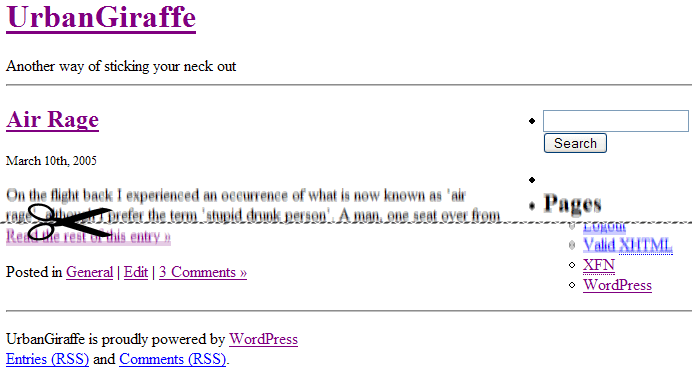
Now our site looks better, but the footer is not spanning the whole screen:
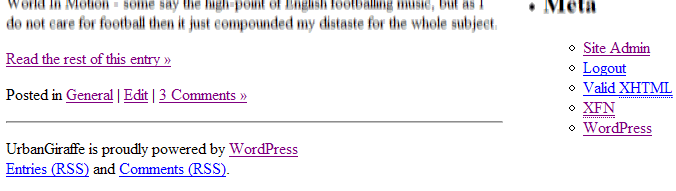
See how the sidebar causes it to wrap too early?
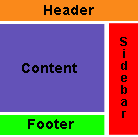
Again this is a simple problem which we fix with two changes. First we need to open footer.php. Just like header.php, this file consists of a section of code enclosed within a div element. In this instance the element has an ID of footer. Before we go and make a style for it, lets just move the stray hard-rule hr inside the div:
<hr />
<div id="footer">
        <p>
<a href="feed:<?php bloginfo('rss2_url'); ?>">Entries (RSS)</a>
. . .
Becomes:
<div id="footer">
<hr />
        <p>
<a href="feed:<?php bloginfo('rss2_url'); ?>">Entries (RSS)</a>
. . .
You’ll see why later. Now lets add that style:
#footer {
  clear: both;
}
This tells the browser not to allow any floating elements on either side of the footer. When we look at the site now, we will find that the sidebar has been neatly tucked in the proper place, and our page matches the original design. Putting the footer hr inside the div ensures that the hard-rule doesn’t get wrapped as well.
Awesome resource! Just invaluable! Thanks so much for sharing it!
Not sure if anybody else had to do this, but to clear the style completely, I had to remove the at the end of the header.php file otherwise you would get rendered borders. this happened in safari 4.0.1 and firefox… whatever version I have installed. I don’t know, I never use it.
putting it back in, the break comes back but without the strange borders on either side. Don’t know why it was happening in the first place. Thanks a bunch for such a great tutorial.
Hi jonh,
i tried to do part 1 but if i notice a fault that i’m gonna to talking about.
In Italian version of this guide at the bottom of each page , there is your two MonkeyMoney : one with style and other without.
So i uploaded your themes and i turn one with no-style, i clear style.css leaving only “header” you suggest to add to style.css( not style at all… ), and i copy header of theme from these page where i’m posting and i add it to MonkeyMoney witout style.
So, even i clear-up every style from header.php, if i mantein header.php in the theme, layout is not the same displayed here : stage1finalthumb.png; but eliminating header.php layout is displayd in a right way…
In my opinion this is not explain clearly.
Regards
Not sure if anybody else had to do this, but to clear the style completely, I had to remove the at the end of the header.php file otherwise you would get rendered borders. this happened in safari 4.0.1 and firefox… whatever version I have installed. I don’t know, I never use it.
this is the most straight forward and clearest guide word wordpress beginners i’ve so far seen. thanks.
this is a great help thanks! I’m using Lubith to generate my themes which is a lot easier and faster than starting from scratch but I will use this information to manipulate the code behind and get the best results. thanks again